 Re.
Re.
Daily check-ins
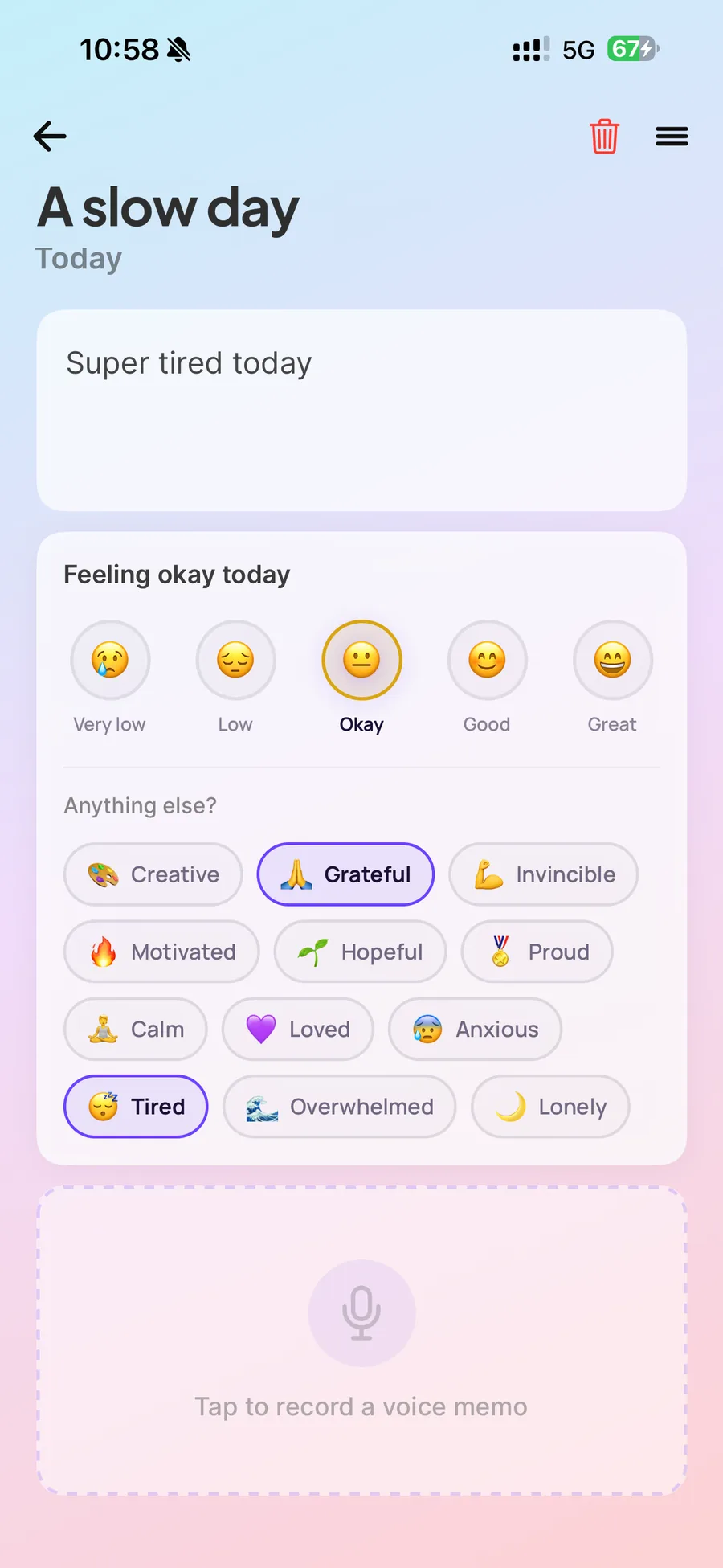
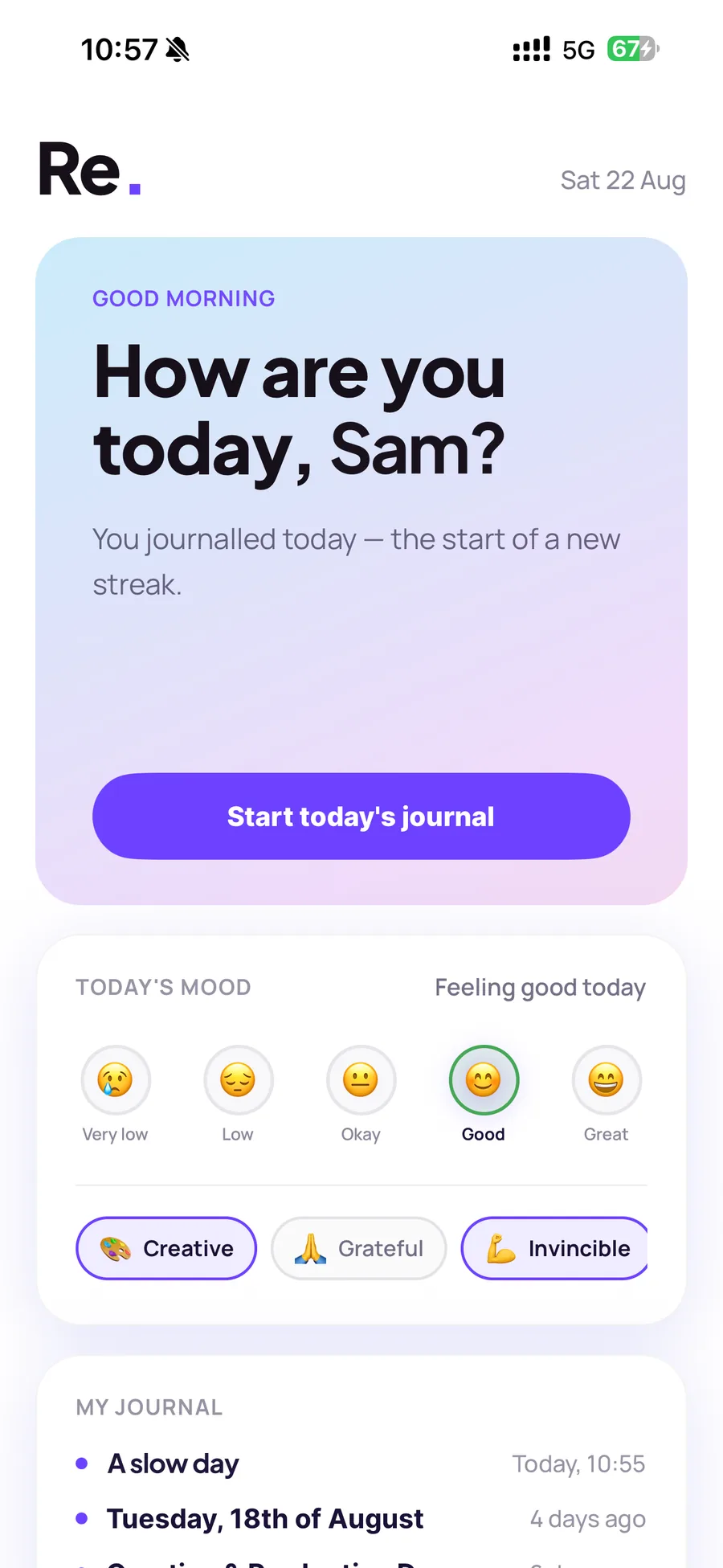
Re. opens with one kind question: how are you today? Pick the mood that fits and add the feelings behind it.
Re.A recovery journal by Beam
Re. is a private recovery journal to track how you feel, from mood, pain, energy and sleep, to progress, small wins, notes and reflections. Capture your journey and see your trends, all in one calming space.
Features
Everything in Re. is built around one quiet habit: checking in with yourself, and seeing what that adds up to.
Re. opens with one kind question: how are you today? Pick the mood that fits and add the feelings behind it.
Note how your body is doing alongside your mood, so you can spot what helps and what doesn't over time.
Write what's on your mind, record a voice memo when talking feels easier, or add a photo to remember the day.
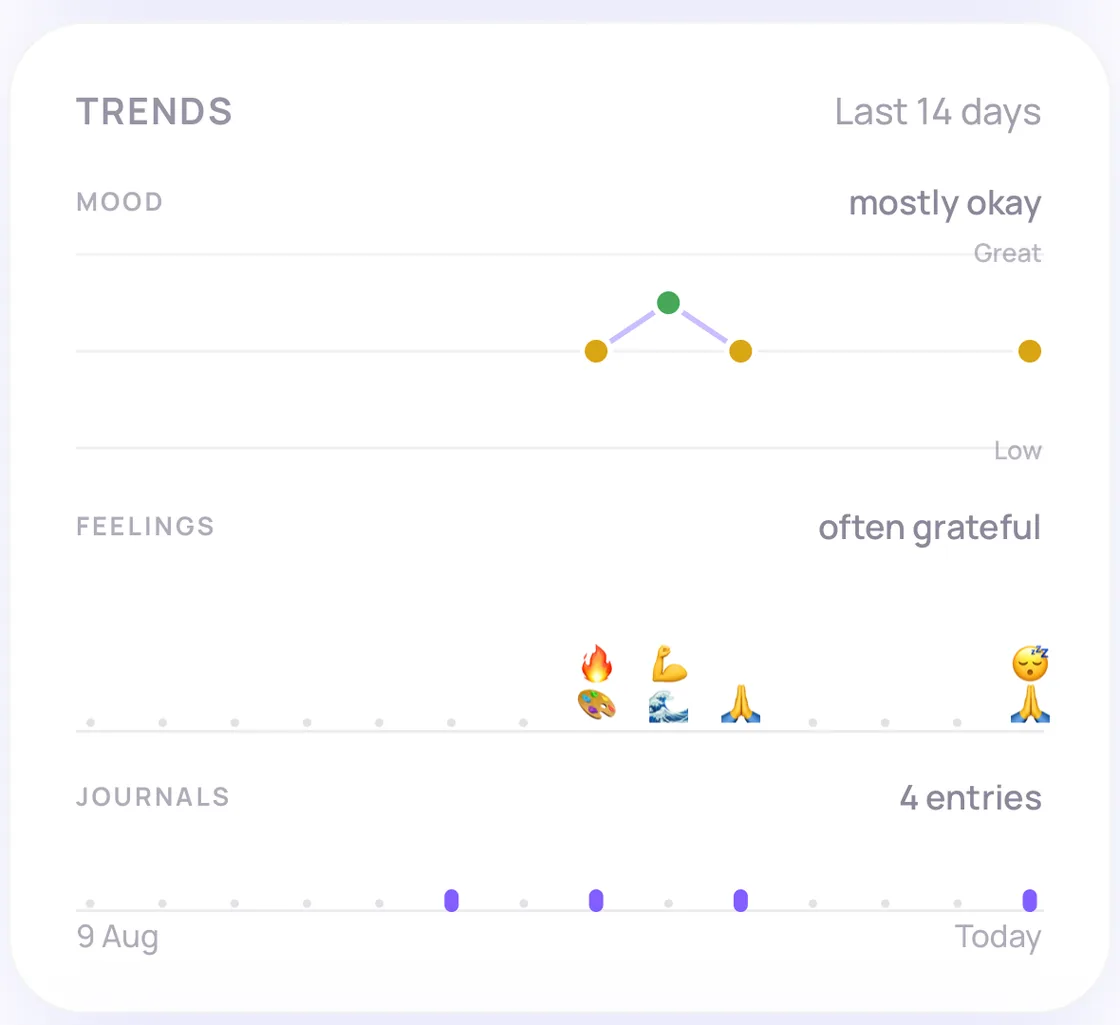
Trends show how your mood, feelings, journal activity and goals change over the last fortnight. No scores.
Set small personal goals and watch them move at your pace. The milestones are yours to define.
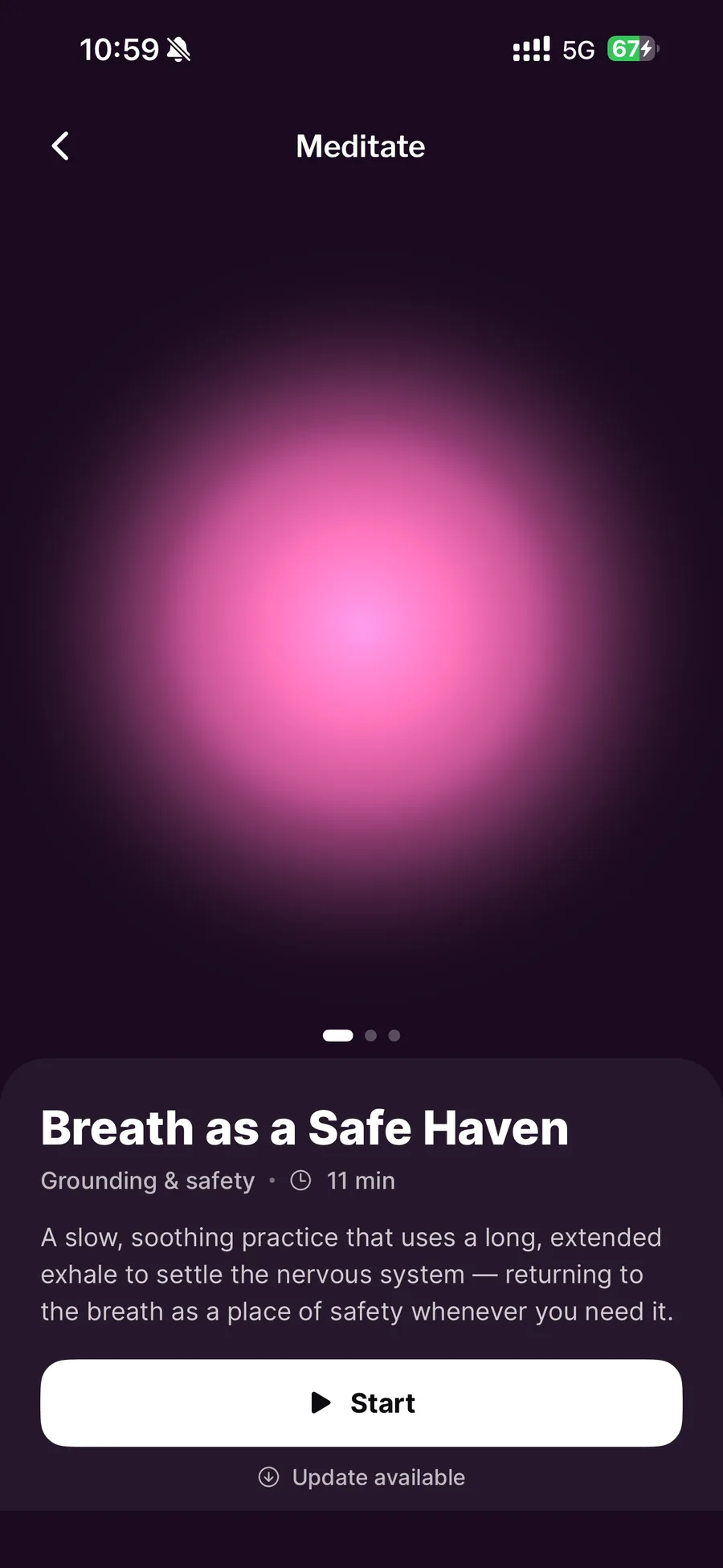
Two introductory practices for when reflection stirs something up, including Breath as a Safe Haven.
Re. gives you a quiet place to check in with yourself, on the good days, the hard days, and every day in between. No feeds, no comparison, no pressure. Just you, and a record of how far you've come.
How it works
Open Re. and answer one kind question: how are you today?
Write as much or as little as you like, or record a voice memo. Some days a sentence is plenty.
Your journal, trends and goals quietly build a picture of your progress. The small wins add up.
Look inside
Three moments from the app: checking in, writing an entry, and taking a few minutes to settle.
Trends
Look back at changes in your mood, feelings, journal activity and goals over time. No scores, no targets, just the shape of the last two weeks.
Privacy and account control
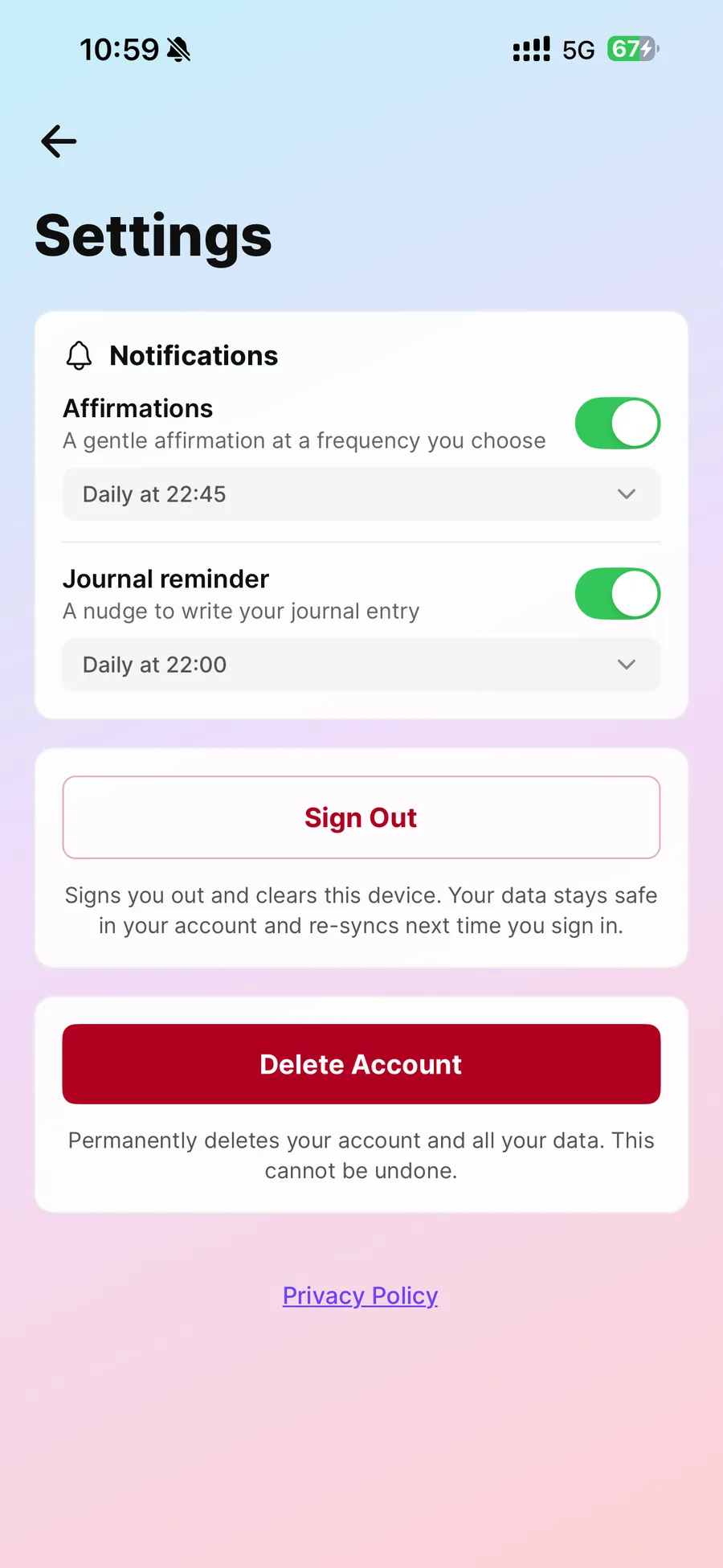
Re. is a private space. There is no feed and no audience. We don't read your entries, sell your information or use it for advertising.
Who it's for
Recovering from illness or injury, rebuilding routines, working through a hard season, or simply wanting a private space to reflect and grow. You don't need to write well, and you don't need to check in every day. There is no right way to use Re., only your way.
A note on wellbeing. Re. supports personal reflection and general wellbeing. It does not provide medical advice, diagnosis, treatment, crisis support or emergency services. If you are in crisis, call 999, NHS 111, or Samaritans on 116 123.
Support
Can't find what you need? Visit Re. support or email hello@findyourbeam.com.
Anyone who wants a private space to reflect on their recovery and wellbeing, whatever recovery means for them. You don't need any journalling experience.
No. Re. supports personal reflection and general wellbeing. It does not provide medical advice, diagnosis, treatment, crisis support, or emergency services. If you're worried about your health, speak to your GP. In an emergency, call 999. You can also call NHS 111, or Samaritans on 116 123.
Check in with your mood and feelings, note pain, energy and sleep, write journal entries, record voice memos, add photos, set goals, look back at your trends, and try two introductory guided meditations. You can choose reminders and affirmations at times that suit you.
Yes. There is no feed and no audience. We don't read your entries, sell your information or use it for advertising. The Re. Privacy Notice explains exactly how your journal is stored and protected.
Your account and journal are stored securely with our database provider, Supabase, in Frankfurt, Germany. Photos and voice recordings are kept in a private area that only your account can reach. The Re. Privacy Notice has the full details.
Yes. Re. has a journal export, so you can download a copy of your journal from the app. You can also email hello@findyourbeam.com to ask for a copy of everything we hold about you.
Pricing hasn't been announced yet. If Re. offers paid features, they will be handled through the App Store or Google Play and shown clearly before you buy.
Go to Settings in the app and choose to delete your account. This permanently deletes your account and your journal. Step-by-step help is on the delete your Re. account page.
Email hello@findyourbeam.com or visit the Re. support page.
Learn
Plain-language guides on recovery and reflection, from Beam.
The Beam family
Re. focuses on reflection and recovery. Beam offers a wider meditation and mindfulness library, and sleepkind coaches the daytime habits behind better sleep. Each one is complete on its own.
 BeamMeditate. Breathe. Focus.
 sleepkindDaytime habits for calmer nights.
Re.Coming soon
Re. is on its way to the App Store and Google Play.


Scan with your phone: the codes lead to Re.'s download page.